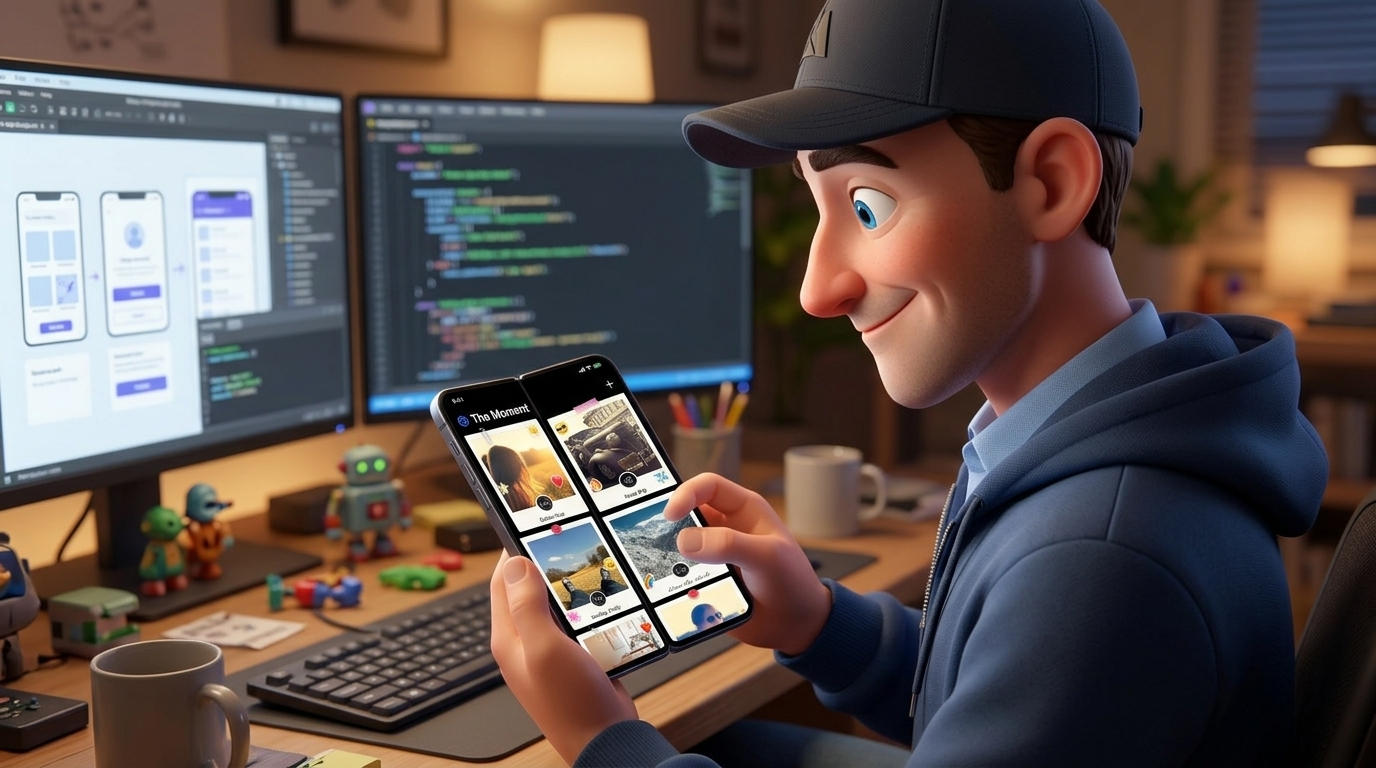
Stay in the Moment: A New Way to Share Memories
The Moment is a new iPhone photo app where every shot develops over 24 hours like a Polaroid, then lands on your feed like a photo on the fridge.
Remember what happened after you took a Polaroid? You pressed the button, the picture slid out blank, and you waved it around like that did anything. Then you went back to whatever you were doing. The party, the beach, the dog being weird. The photo showed up on its own time, and you didn't miss anything waiting for it.
Now compare that to your phone. You take the shot, you look at it, you don't like it, you take it again. Three more times. By the time you're happy, the thing you wanted to photograph is over and you spent it staring at a screen.
I built an app to fix that for myself. It's called The Moment, and it's available now on iPhone.
Download The Moment on the App Store
Why a photo app with no preview
The Moment takes away the two things that pull you out of the moment: the preview and the retake. You frame it, you tap, and that's the photo. You can't check it. You can't redo it. Some of them will be a little wonky, and I've decided that's fine.
What you get back is the old Polaroid feeling. The photo goes off to develop and you carry on with your day.
24-hour film photos that develop over time
Every photo (or 5-second video) develops over 24 hours, sharpening hour by hour. A shot from this morning is a blur at lunch and a little clearer by dinner. By tomorrow it's done.
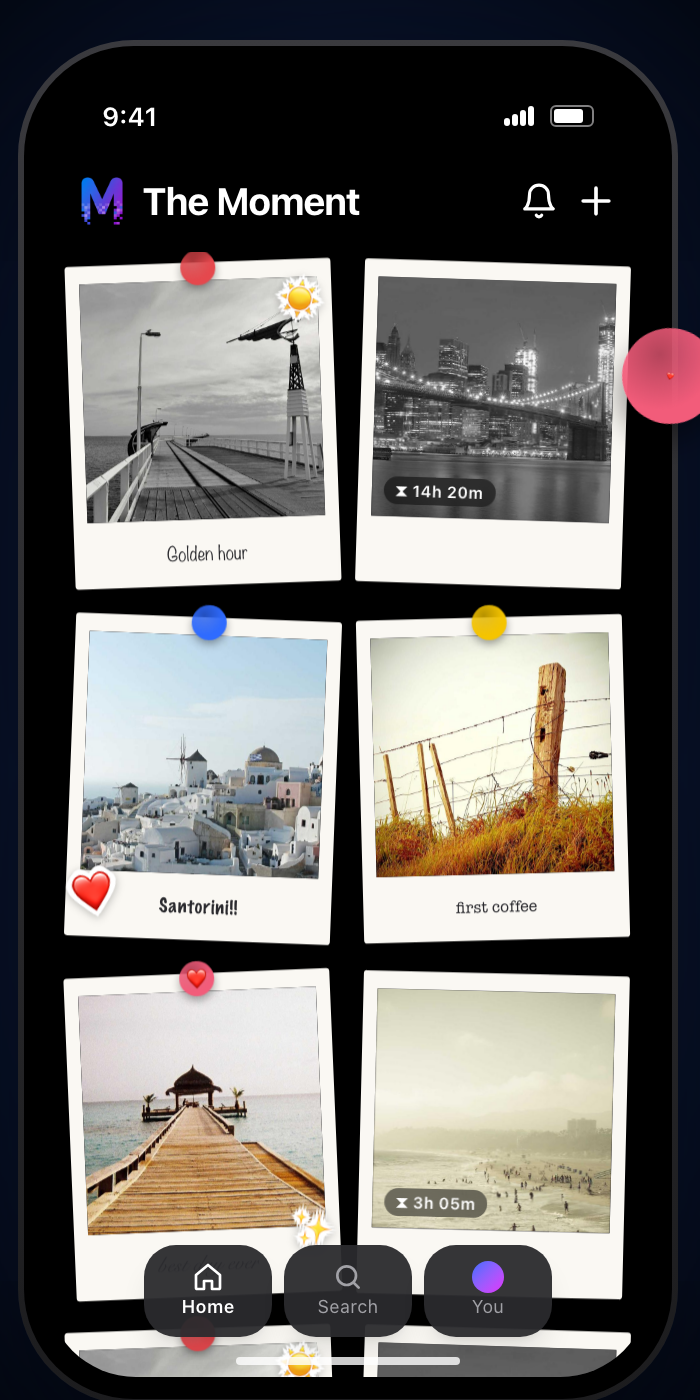 The Moment on iPhone. The timers on the grayed-out Polaroids count down to when each photo finishes developing.
That wait is the whole idea. When a moment finally develops, you get to relive it, because you'd half forgotten you took it. It feels a lot more like opening an envelope of prints than scrolling a camera roll.
If you can't wait, you can spend tokens to develop a moment early. More on that below.
Your feed becomes the fridge
This is the part I like most. Once a moment has developed, you pin it to your feed like a Polaroid stuck to the fridge. Then you decorate it. Write on it, add magnets, clips, tape and stickers. There's also a Photobooth mode that takes three shots in one film strip, and you can scribble on that too.
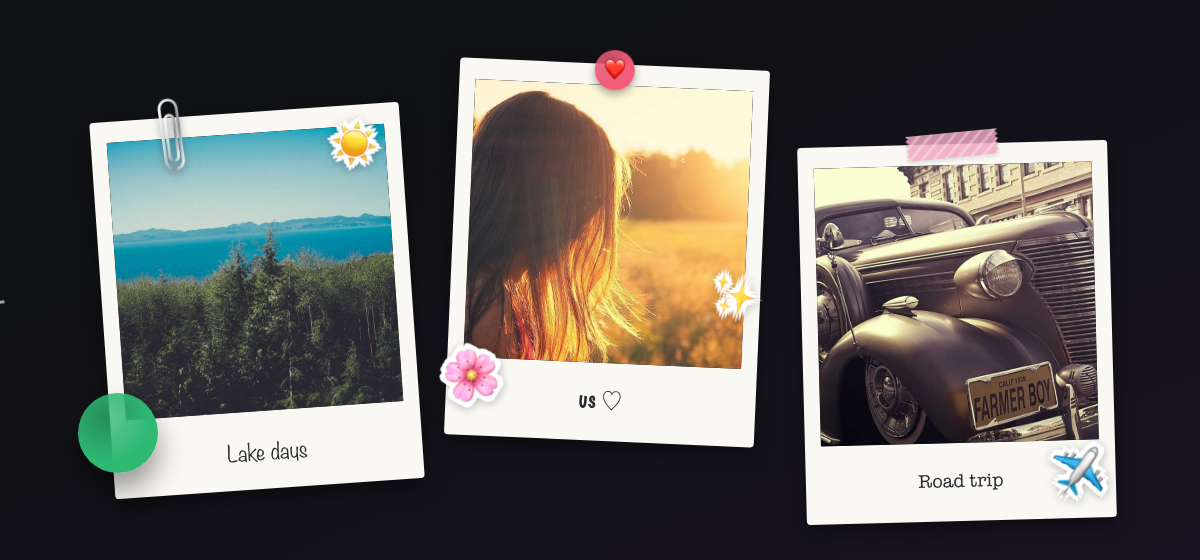 Pinned and decorated. Clips, tape, stickers and handwriting turn a photo into something for the fridge.
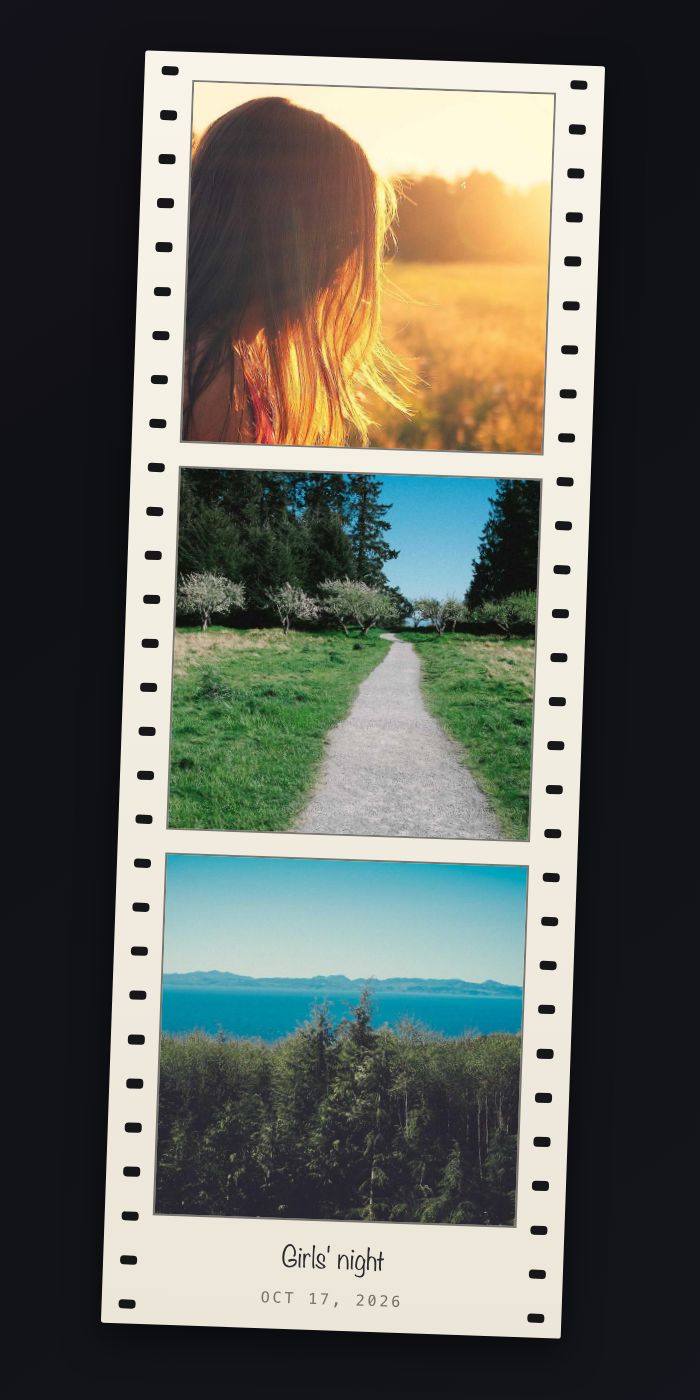 A Photobooth strip: three shots on one film strip, with a caption you write yourself.
Tag a friend and they get a notification, and the moment shows up on their profile too. Friends can like and comment, in the app or on the web. If you'd rather keep things small, make your account private and approve who follows you. Public moments can be shared with a link.
I take a lot of photos (you can see some in my photography portfolio), and most of them never get looked at twice. A fridge is different. You walk past it every day, and the things on it are there because somebody cared enough to stick them up.
Looks gorgeous on iPhone Duo
The Moment runs on iPhone, and it was made to take advantage of the new iPhone Duo. Open the app across the fold and the layout splits in two. Your Polaroids sit on one half and the open moment sits on the other, so you can browse your fridge and look closely at a photo at the same time.
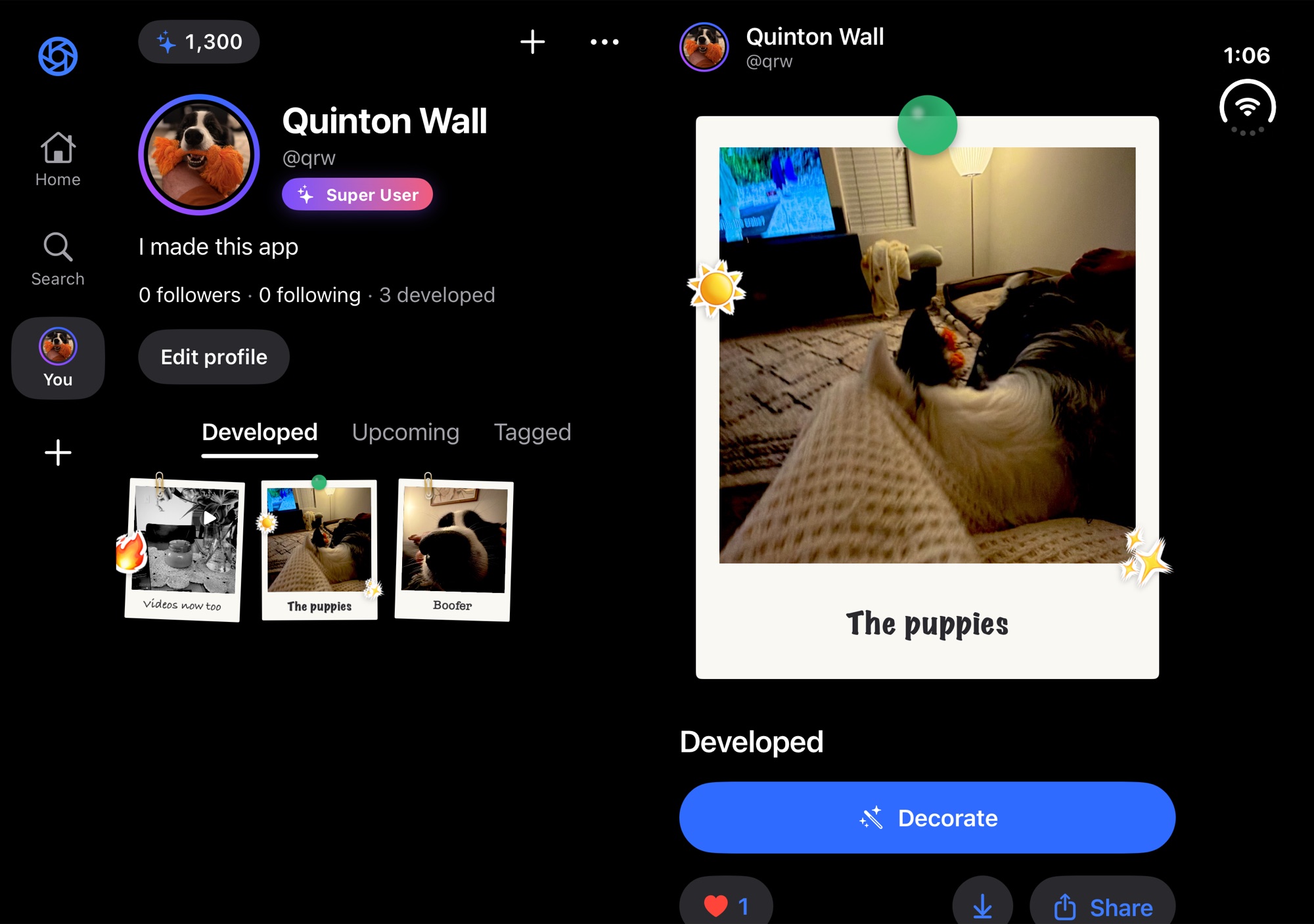 The Moment on iPhone Duo. Polaroids on the left, the open moment and its Decorate button on the right.
Honestly, this is where the app looks its best. A Polaroid feels right at that size, and I keep catching myself holding the phone open like a little photo album.
Tokens and what's free
You get 100 free tokens every month. Tokens are how you develop a moment early or unlock new film looks, magnets and stickers. Developing a photo you just took costs 10 tokens, and one that's almost ready costs 1. After 24 hours, development is always free. A Photobooth strip can cost up to 25 tokens to develop early.
Capture and decorating happen on iPhone only. You can also sign in on the web to browse your moments and your friends', search for people, like, comment and spend tokens.
Get The Moment
Download The Moment from the App Store, take a photo, and then go do something else for a day. Come back tomorrow and see what you got. You can read more at stayinthemoment.app.
Subscribe
New posts on AI, developer relations, photography, and the odd long walk, straight to your inbox. No spam.